Find MPXN Using Address Details
Background
The address details stored in the Smart Meter Inventory (SMI) are populated when a smart meter is commissioned. These records are maintained by energy suppliers and their appointed agents.
As there is no single national address database or mandatory address formatting standard used across all suppliers, address information can vary significantly. This can make MPXN searches using address details less straightforward than expected.
Recommended Search Approach
To achieve the best results, we recommend the following steps:
- Verify that you have the correct postcode.
- Start with the house number or house name only.
- Example:
2
- Example:
- If multiple premises are returned or no match is found, add the first line of the address.
- Example:
2,High Street
- Example:
- If the address is still not found, try including blank address lines using commas.
- Example:
2,,High Street
- Example:
This is often required where the supplier has stored address information across multiple address lines, leaving one or more preceding lines blank.
Example 1: Postcode and House Number Are Sufficient
In many cases, the postcode and house number alone are enough to uniquely identify the property:
https://api-v2.data.n3rgy.com/find-mpxn/OX15+5QT/2?checkAmr=true
This search successfully returns the MPXN using only the postcode and house number.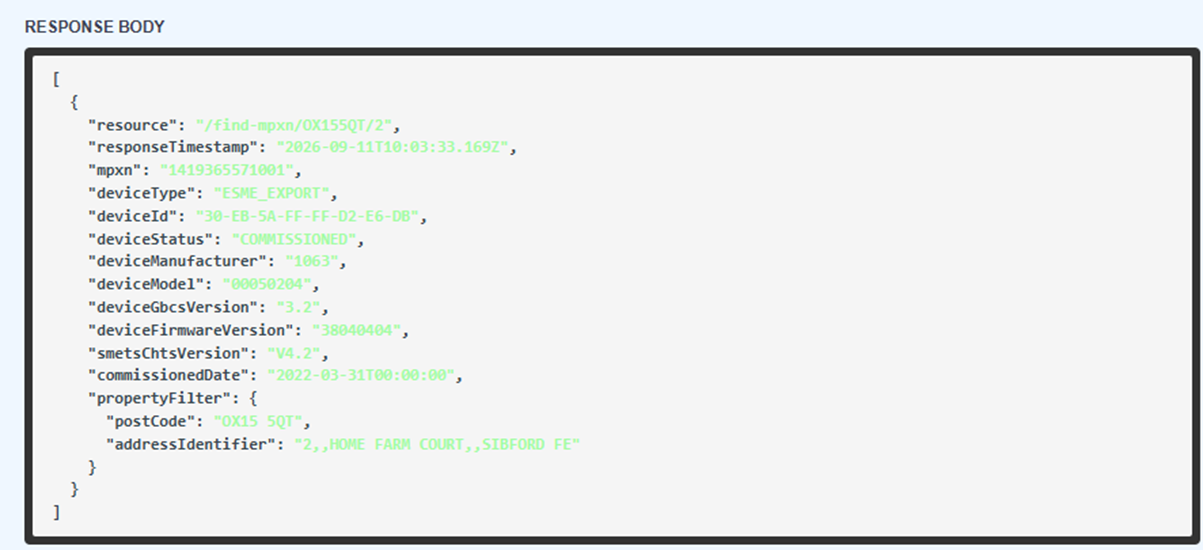
Example 2: Additional Address Information Required
In this example, the postcode and house number alone do not return a result:
https://api-v2.data.n3rgy.com/find-mpxn/PE2+8LH/175?checkAmr=true
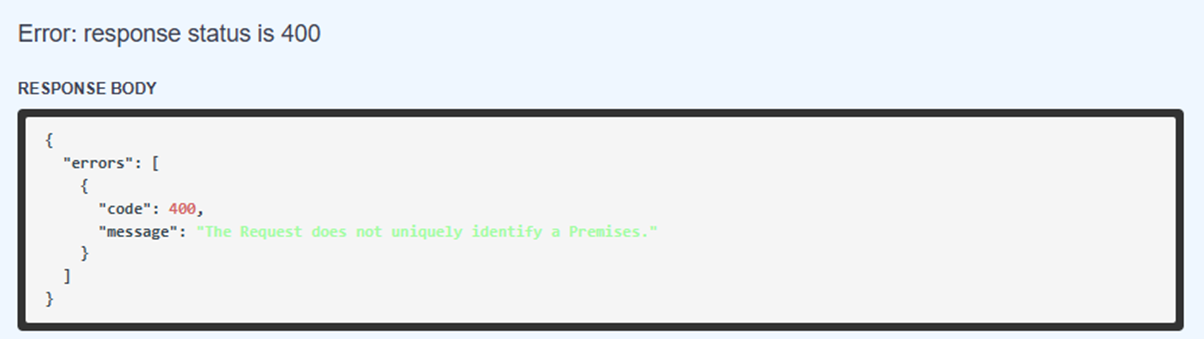
To locate the property, additional address information must be provided:
https://api-v2.data.n3rgy.com/find-mpxn/PE2+8LH/175,,Coneygree?checkAmr=true
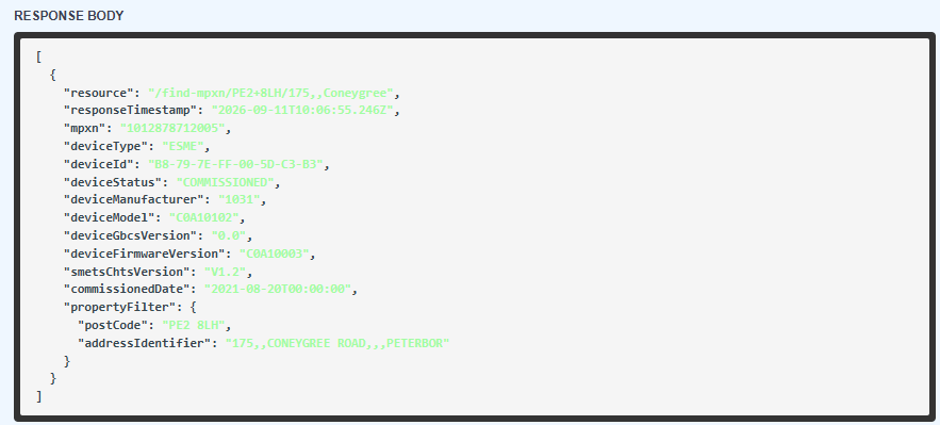
In this case:
- The house number is
175. - The second address line is blank.
- The first meaningful address text,
Coneygree, is stored on the third address line in the Smart Meter Inventory. - Two commas (
,,) are therefore required to represent the blank address line between the house number and the first populated address line.
This type of formatting is relatively common where house names or building descriptions occupy separate address fields.
Key Points
- Always start with the postcode and house number/house name.
- Address formats vary between suppliers.
- Additional address lines may be required where the property cannot be uniquely identified.
- Blank address lines can be represented using commas (
,). - If a search does not return a result, try progressively adding address information.
Was this article helpful?
That’s Great!
Thank you for your feedback
Sorry! We couldn't be helpful
Thank you for your feedback
Feedback sent
We appreciate your effort and will try to fix the article